
YoLink
Yosmart Inc.House & Home
3.2322.00 Reviews
- Version
- 1.55.1
- Installs
- 100.00K
- Age Rating
- Everyone
Screenshots
Our Review of YoLink
 Analysis by Appyee
I approached YoLink as a practical house-and-home app rather than something I would open for entertainment. Its purpose is straightforward: it provides a way to manage compatible smart-home equipment from a phone, with the goal of making everyday routines less scattered. After spending time with it, my view is that it works best for people who want a dedicated control point for their home devices and are willing to spend a little time organizing that setup. It is less convincing for someone who expects every brand of smart equipment to fit into one polished dashboard automatically.
The app is free to download, carries an Everyone age rating, and comes from Yosmart Inc. It has been available since June 18, 2019, and the current release is version 1.53.2 for devices running Android 5.0 or later. That broad system requirement makes it accessible on older Android phones, although the experience will naturally depend on the phone, the connected hardware, and the quality of the home network.
What using YoLink feels like in a real home
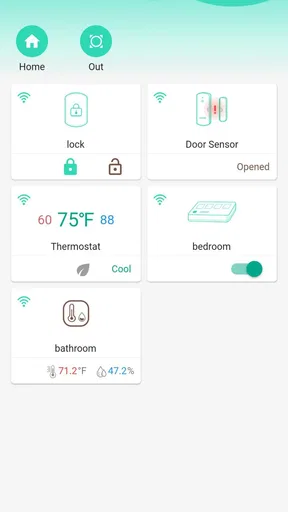
The most useful way to understand this app is to imagine a normal morning. I might want to check a sensor before leaving, confirm the state of a connected device, or review whether something at home needs attention. Instead of walking through every room or opening several unrelated manufacturer apps, the appeal is having YoLink as the place where those supported devices can be viewed and managed.
That convenience is not dramatic in a single interaction. Its value appears through repetition. A smart-home app earns its place when it removes small decisions from a routine: checking a device from the sofa, keeping an eye on an area while away, or handling a home task without searching for the right physical control. YoLink is built around that kind of quiet usefulness rather than visual novelty.
I also found that the app makes more sense when the home is treated as a collection of routines, not merely a pile of gadgets. A sensor by an entrance, a device in a utility area, and another item in a living space are easier to manage when their names and locations are clear. If everything is left with vague labels, the phone interface becomes a list to decode instead of a tool that saves time.
One of my first practical recommendations is to name devices according to what a person would say out loud. “Back door” is more helpful than a model code, and “utility room” is more useful than a generic room label. This sounds minor, but it becomes important when several similar devices are installed. The app’s usefulness depends heavily on reducing hesitation at the moment you need to act.
A control center that rewards preparation
YoLink is not the kind of app I would judge after only opening it once. The initial value comes from setting up a sensible structure. I would group devices by room or purpose, remove anything no longer used, and keep the most frequently checked items easy to recognize. That preparation is a trade-off: it takes effort at the start, but it can make later checks much faster.
This is also where the app differs from the usual single-device alternative. A manufacturer’s dedicated app may feel simpler when you own only one product from that brand. YoLink becomes more attractive when you want one place for several compatible items. The advantage is less about having more buttons and more about avoiding a collection of separate apps with different layouts and sign-in habits.
On the other hand, a single-brand app can be the better choice if you only need one device and its own application already does everything you want. Adding another control layer is not automatically an improvement. I would choose YoLink when consolidation matters, not simply because it is available.
Where the app is genuinely useful
The strongest use case is a home where checking status matters more than constant interaction. For example, I can imagine using it before going to bed to review connected equipment, or during a busy day to avoid making a second trip through the house. In a larger home, that remote glance can be more meaningful because the app turns a physical check into a phone-based one.
It can also suit people who are gradually building a smart-home setup. Rather than buying a large collection at once, a user can start with one practical need and expand only when there is a clear reason. That approach helps avoid a common smart-home mistake: purchasing devices because they sound clever, then discovering that the daily benefit is too small to justify the clutter.
Another useful workflow is to treat the app as a household handoff tool. If more than one person lives in the home, clear device names and consistent organization make it easier for someone else to understand what they are looking at. A dashboard that only its installer can interpret is a weak household tool. I would spend time making the layout understandable to another person, especially if that person may need to check something while I am away.
My third practical insight is to use the app for confirmation rather than anxiety. Smart-home monitoring can encourage repeated checking, but opening the app every few minutes does not make a home safer or more comfortable. I get more value by deciding which situations genuinely require attention and using the app as a quick check at those moments.
The important limitations
The biggest weakness is that the quality of the experience is tied to the wider setup. YoLink cannot make incompatible equipment work together simply because both devices are used in the same house. Before committing to it as a central dashboard, I would verify that the devices I already own belong to its supported ecosystem. Otherwise, I could end up with another app rather than the single place I wanted.
There is also a learning curve that is easy to underestimate. Smart-home apps often look simple after installation, but the real work is deciding how devices should be named, arranged, and checked. If a user wants an instant, zero-configuration experience, YoLink may feel more demanding than a basic remote control app. I see that as a reasonable trade-off for a growing setup, but it is still friction.
The phone itself can become a source of inconvenience. A larger collection of devices means more status information to interpret, and a rushed user may select the wrong item if labels are unclear. This is why I would not skip the organizational stage. The app is more dependable as a daily tool when the home’s structure is reflected clearly in the interface.
I would also avoid treating any smart-home application as a replacement for ordinary judgment. A phone display is useful for convenience and awareness, but it should not encourage someone to ignore a physical inspection when a situation is important. In my view, YoLink works best alongside sensible household habits, not as a reason to stop checking the home directly when circumstances call for it.
How it compares with familiar alternatives
The obvious alternative is using each device maker’s own app. That route can be perfectly acceptable for a small setup, and it may offer the most direct access to a particular product. The problem appears when every device has a different home screen, terminology, and workflow. YoLink’s central appeal is reducing that fragmentation within the equipment it supports.
Another alternative is a broad smart-home platform that tries to bring together products from many manufacturers. Those platforms can be appealing for users who already own a mixed collection of equipment. YoLink is more focused, so its suitability depends on whether its ecosystem matches the home. I would favor the broader platform when cross-brand flexibility is the priority, while I would favor YoLink when a compatible, more focused environment is enough.
There is also the option of doing nothing beyond physical controls. For a small apartment with one uncomplicated device, that may genuinely be better. Smart-home management introduces accounts, setup decisions, phone dependence, and another layer of maintenance. I would not recommend YoLink merely to make a simple task sound modern. The benefit needs to be visible in the person’s routine.
Who should use it, and who should pass
I think YoLink is a good fit for homeowners and renters who already have, or plan to build, a compatible collection of smart-home devices. It is especially reasonable for people who value checking several parts of the home from one phone and are comfortable spending time on initial organization. The free price also makes it easier to explore without adding an app fee to the decision.
It may suit relatives who want a clearer way to keep track of household equipment, provided the setup is explained carefully. I would create simple labels, remove unnecessary complexity, and show the other person the few actions they actually need. Giving someone a dashboard full of unexplained devices is not helpful, even if the underlying technology is capable.
I would recommend skipping it if your devices are mostly from unrelated ecosystems and you do not want to check compatibility first. I would also hesitate if you want a completely automatic setup, dislike managing connected accounts, or only need one device that already has a satisfactory dedicated app. In those cases, the extra layer may create more work than convenience.
For privacy-conscious users, I would approach the app as I would any connected-home service: read the app’s current permissions and account information before installation, and only enable what fits your comfort level. I would not install a smart-home app casually on a phone shared by many people. A little planning around access and device naming can prevent avoidable confusion later.
What the numbers suggest about its position
YoLink has passed one hundred thousand installs and holds a 3.3 average from about five hundred ratings, alongside more than three hundred written reviews. Those figures place it in the category of a known but not universally dominant smart-home app. I would read that as a reason to evaluate the ecosystem and your own needs carefully rather than assuming popularity alone will settle the decision.
The rating also matches my overall impression: the concept is useful, but the experience is not equally effortless for everyone. A connected-home app can be judged harshly when setup is confusing, when hardware does not match expectations, or when a user wants a different level of integration. The app’s value is therefore quite personal. It depends on the devices in the home and on how much organization the user is willing to do.
The older minimum Android requirement is convenient for people using an aging phone, but compatibility with the operating system is only one part of the picture. A modern smart-home experience still depends on the connected equipment and the network around it. I would check the phone’s performance and the home’s reliability before blaming the app for delays or inconsistent behavior.
My final recommendation
After using it as a household control tool, I see YoLink as a practical choice with a clear condition: it makes the most sense when your home fits its supported ecosystem and you want to manage that setup from one place. Its strongest quality is not a flashy interface; it is the possibility of turning scattered device checks into a more consistent routine.
The meaningful weakness is equally clear. It is not a universal answer for every smart-home product, and it does not remove the need for thoughtful setup. Users who want instant simplicity may prefer a single-device app, while users with a very mixed collection may be happier with a broader platform. YoLink sits between those options, offering focus in exchange for ecosystem commitment.
For me, the decision is simple: if I were building around compatible YoLink equipment and wanted a free House & Home app that could grow with that arrangement, I would try it. I would begin with a small number of useful devices, name everything carefully, and judge the app by whether it saves real time after the first week. Its best feature is the routine it can simplify, not the number of controls it puts on a screen.
That makes YoLink worth considering for a deliberate smart-home setup, but not something I would install without a plan. If the ecosystem matches your equipment and you value centralized checks, it can become a sensible part of daily life. If your needs are smaller or your devices are spread across incompatible brands, choosing the simpler alternative may be the more honest recommendation.
Privacy and Permissions
See what permissions an app requests and how it handles your data.
- Device & app history
- retrieve running apps
- Identity
- find accounts on the device
- Contacts
- find accounts on the device
- Location
- approximate location (network-based), precise location (GPS and network-based)
- Phone
- read phone status and identity
- Photos/Media/Files
- access USB storage filesystem, read the contents of your USB storage, modify or delete the contents of your USB storage
- Storage
- read the contents of your USB storage, modify or delete the contents of your USB storage
- Camera
- take pictures and videos
- Microphone
- record audio
- Wi-Fi connection information
- view Wi-Fi connections
- Device ID & call information
- read phone status and identity
- Other
- view network connections, pair with Bluetooth devices, access Bluetooth settings, change network connectivity, allow Wi-Fi Multicast reception, connect and disconnect from Wi-Fi, control flashlight, full network access, run at startup, reorder running apps, control vibration, prevent device from sleeping, Google Play license check
Verdict
Strengths of YoLink
- Long-range connectivity works well across large homes and properties.
- Sensors respond quickly and provide timely alerts for important events.
- Supports many device types, including leak, door, motion, and temperature sensors.
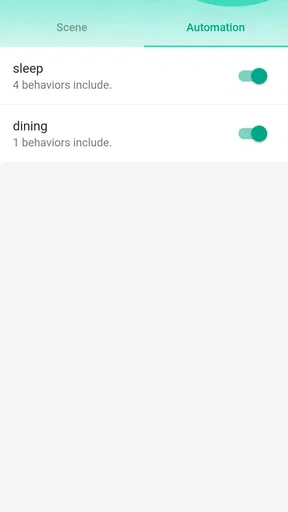
- Automation rules can reduce the need for constant manual monitoring.
- Low-power sensors generally offer long battery life between replacements.
Limitations of YoLink
- Most devices require a YoLink hub, increasing the initial setup cost.
- The app interface can feel dated and less intuitive than newer smart-home apps.
- Advanced automations may take time to configure for first-time users.
- Some features depend on an active internet connection and cloud services.
- Compatibility with third-party smart-home platforms may be limited for some devices.
Similar Picks in This Category
View All
Universal TV Remote Control
CodeMatics Media Solutions3.9

AlfredCamera Home Security app
Alfred Systems Inc.4.7

Planner 5D: AI Home Design
Planner 5D4.5

Universal Tv Remote-Cast to TV
One Music Player4.1

Zillow: Homes for Sale & Rent
Zillow Group4.8

99acres Buy/Rent/Sell Property
infoedge.com4.3
Frequently Asked Questions
What is YoLink, and what can I use it for?
YoLink is a smart-home platform designed to connect and manage compatible sensors, hubs, switches, alarms, and other devices. After installation, the app lets you monitor conditions such as doors, motion, leaks, temperature, humidity, and power status, depending on the products you own. It is particularly useful for remote alerts, automation, property monitoring, and checking devices when you are away from home.
Does YoLink require a hub or additional hardware to work?
In most cases, YoLink devices require a YoLink Hub or compatible gateway to communicate with the mobile app and the cloud. The app itself cannot replace the physical hub, although some products may have specific setup requirements. Before downloading, check the product description for your device and confirm that the required hub, power supply, and accessories are included or purchased separately.
Is YoLink easy to set up for first-time smart-home users?
The setup process is generally straightforward: create an account, connect the YoLink Hub to your network, add compatible devices, and follow the in-app instructions. However, the experience can vary depending on your router, device model, and wireless environment. Users should keep the hub powered during pairing and make sure their phone has the necessary permissions for Bluetooth, local network access, or notifications.
Does YoLink work without internet or during a power outage?
YoLink relies on powered hardware and communication with its hub and online services for many remote-control and notification features. If your home internet, hub, or power supply is unavailable, live status updates and remote access may be interrupted. Some devices may continue limited local operation, but you should not assume that every automation or alert will function during an outage.
Is the YoLink app free, and are there privacy or compatibility considerations?
The YoLink app is generally available to download without a separate purchase, but using it requires compatible YoLink hardware, which must be bought separately. Certain features may depend on the device model, integrations, or cloud services. Because the platform handles account and device data, review its privacy policy and permissions before setup, and verify that your Android or iOS version is supported.
